







Geolocation (Enable Location on Mobile).
When you access the SAFE IS appmobile app, the system will request permission to enable Geolocation (Location)..
If, even after enabling this option, a geolocation error appears or you have allowed location only for certain apps, you will need to review the permissions of the browser you used to install SAFE IS.
This happens because the SAFE IS app is installed directly from the mobile browser,not from the Play Store (Android) or the App Store (iPhone).
Below are the steps depending on your device type:
Android Mobile Device
-
Open the Google Chrome browser on your phone.
-
o to the following link to access the app:
https://mobile.appsgso.com/login
-
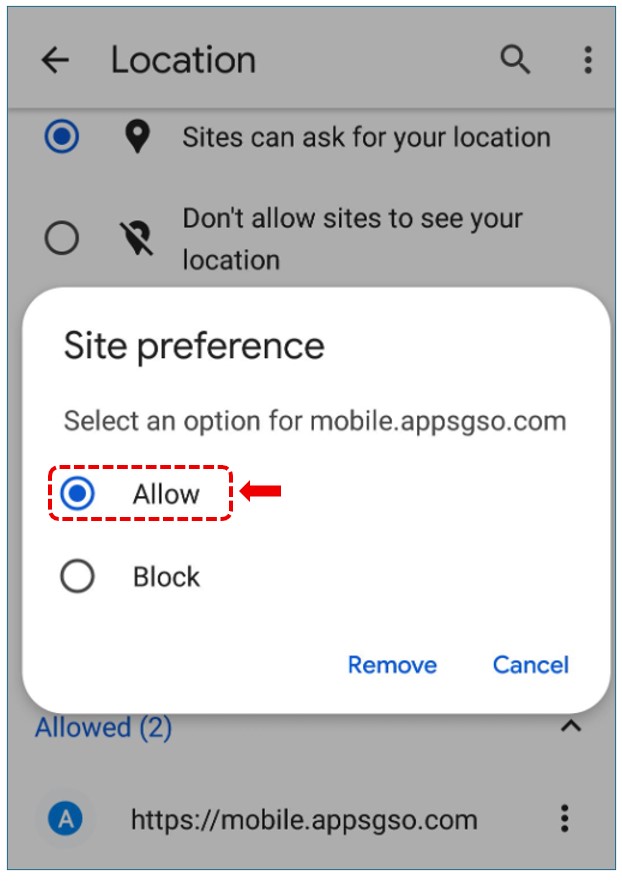
If the system requests location permissions, select Allow..
-
If the error continues
-
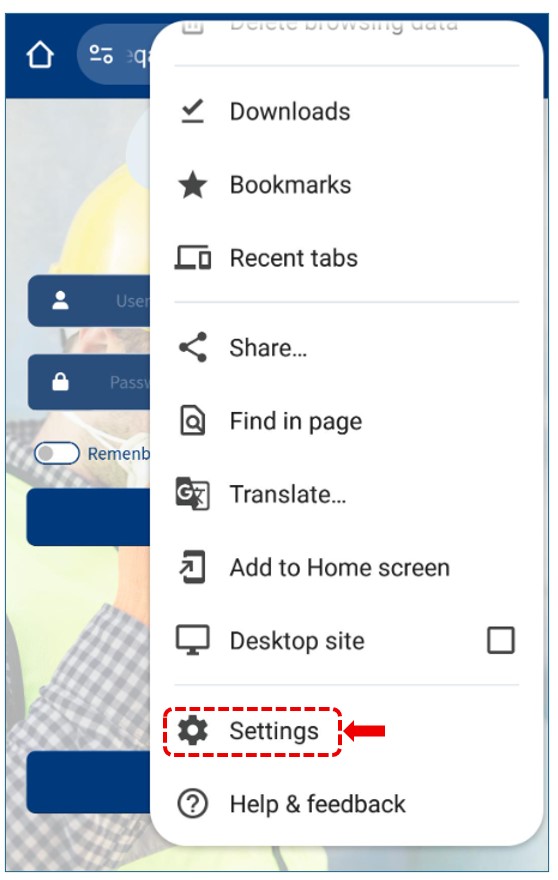
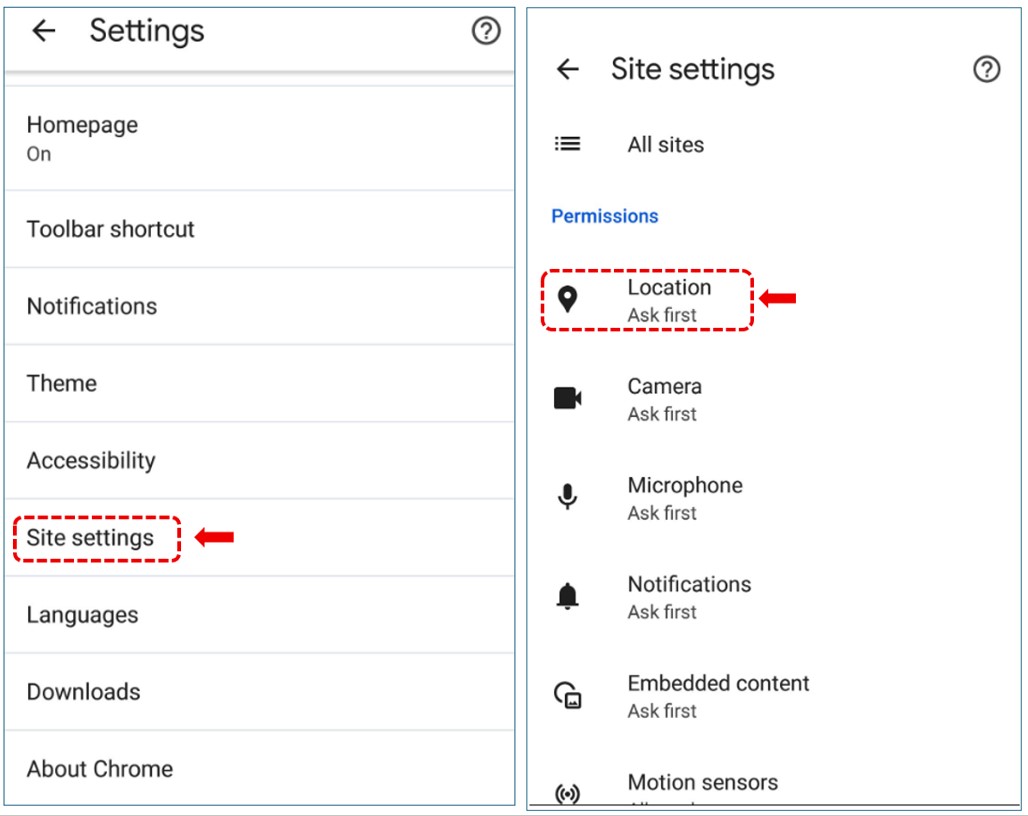
Go to Settings Configuration → Site settings from your Chrome browser.
-
Go to Permissions → Location..
-
Select Allow all the time or Allow only while using the app..
- Make sure the device's Location setting is enabled from the general system settings.
-
IPhone
Open the link from the Safari browser: https://mobile.appsgso.com/login
Go to Settings → Privacy & Security to enable Location Services.

Then go to Safari Websites.

Finally, locate the app’s address and allow access by selecting “While Using the App.”
