







Self-Check Module
I. Autocheck / CP Filter
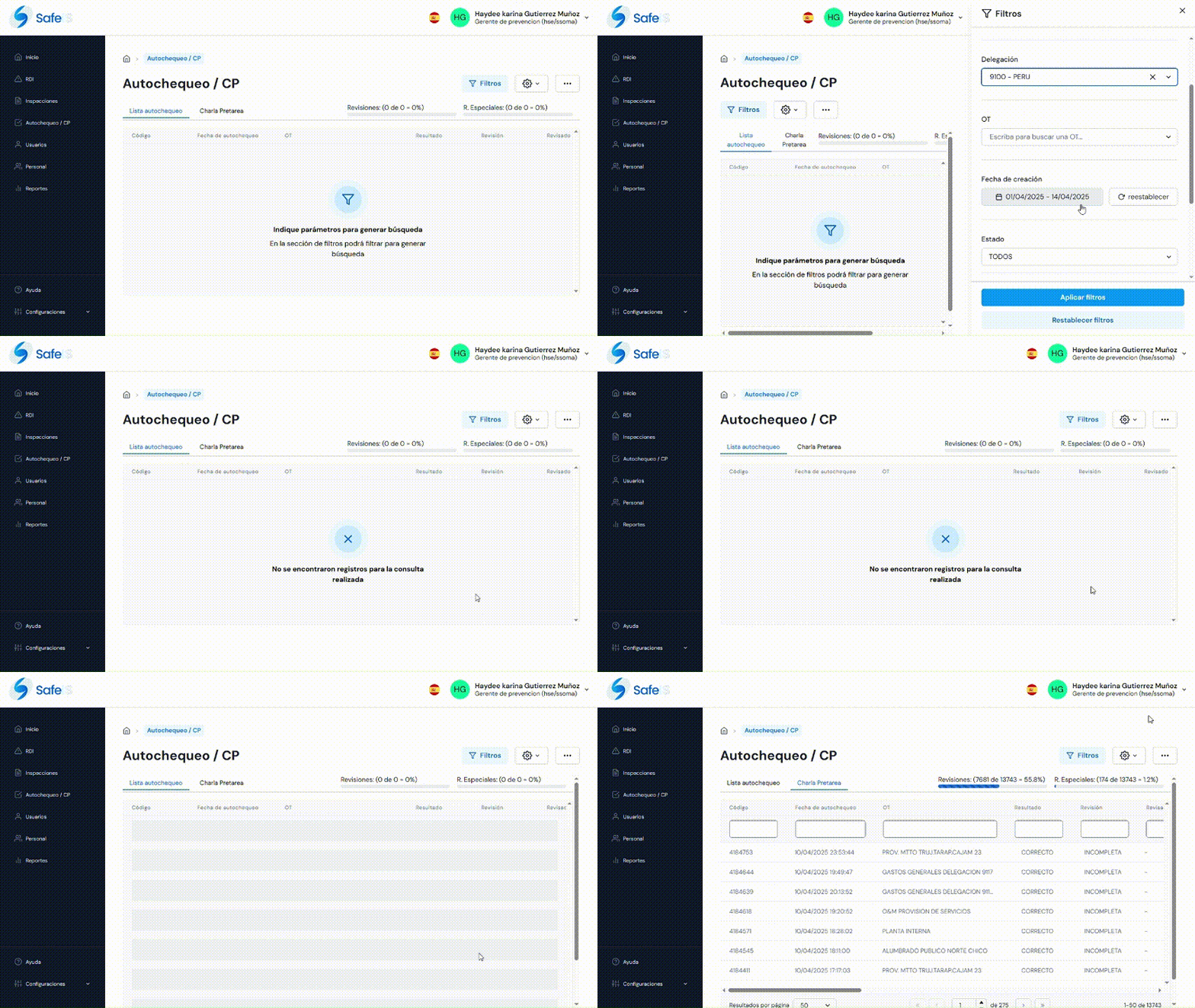
Upon entering, the main page will be displayed with the filter open to perform searches, using by default the country and user profile filters.
The following filters are available:
- Search
- Country
- Delegation
- OT
- Creation Date (date range)
- Rating
In the following options, ALL are checked by default:
- Status
- Result
- Review
Once the filters have been applied and the data found, they will be displayed in the results table.
Configuration
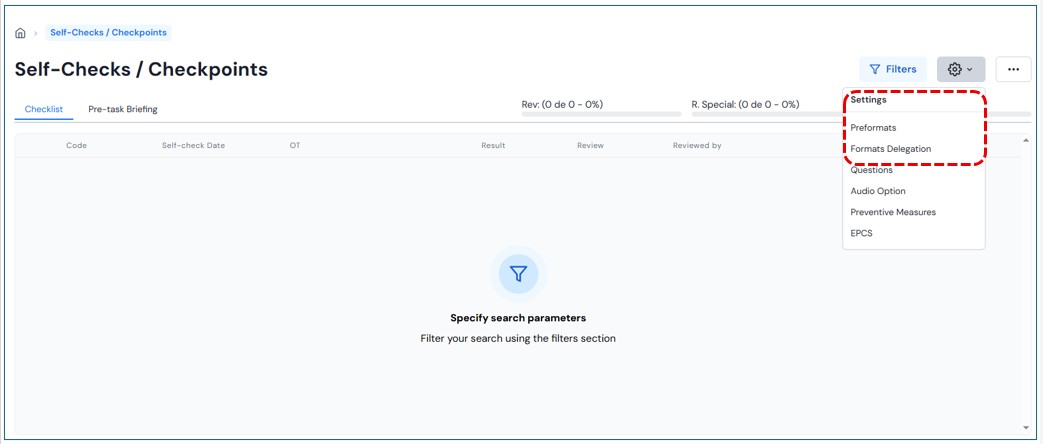
Select the configuration button and the following options will be displayed:
- Preformats
- Delegation format
- Risk types
II. Preformats Configuration
Upon entering this section, the home page will be displayed with the filter open to perform the corresponding search.
To obtain information, complete the following fields:
-
- Search
-
- Country
-
- Activity
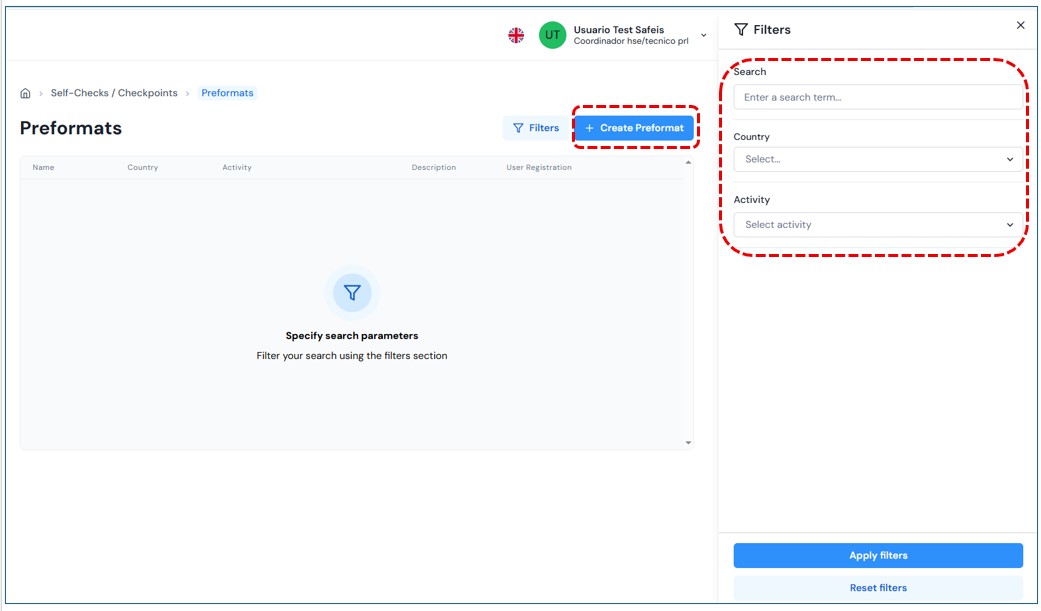
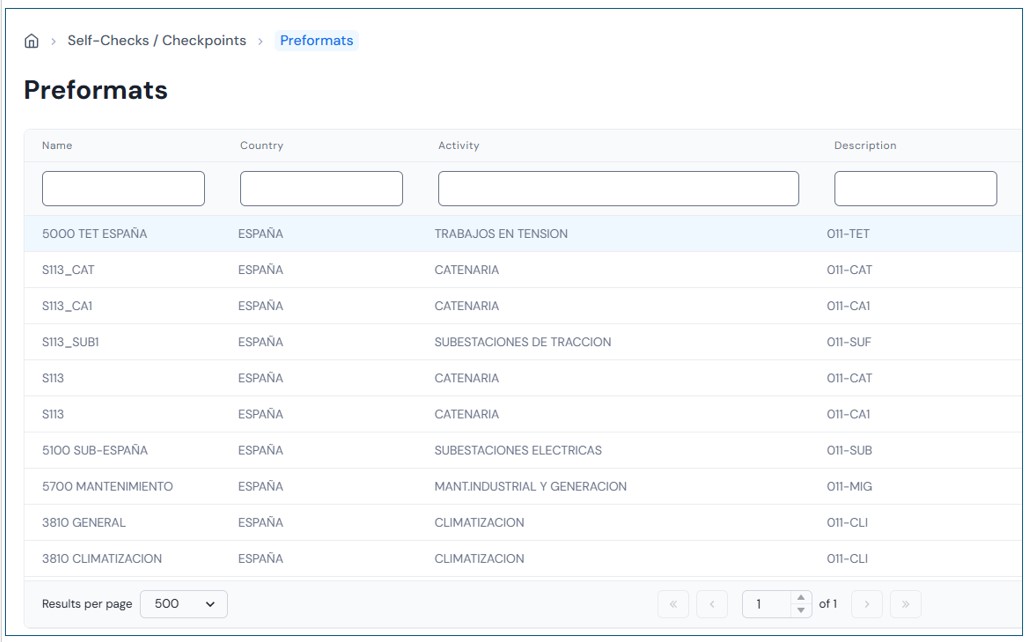
Once the filters have been applied and the data found, they will be shown in the results panel.
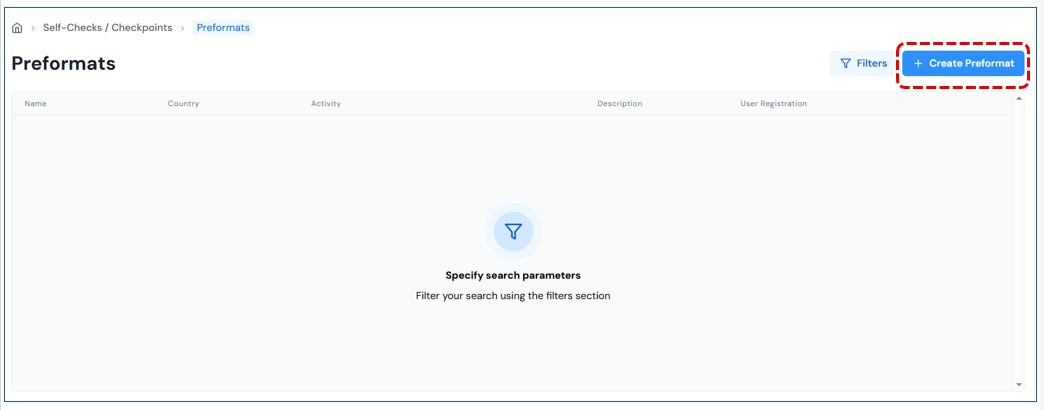
Create Preformat
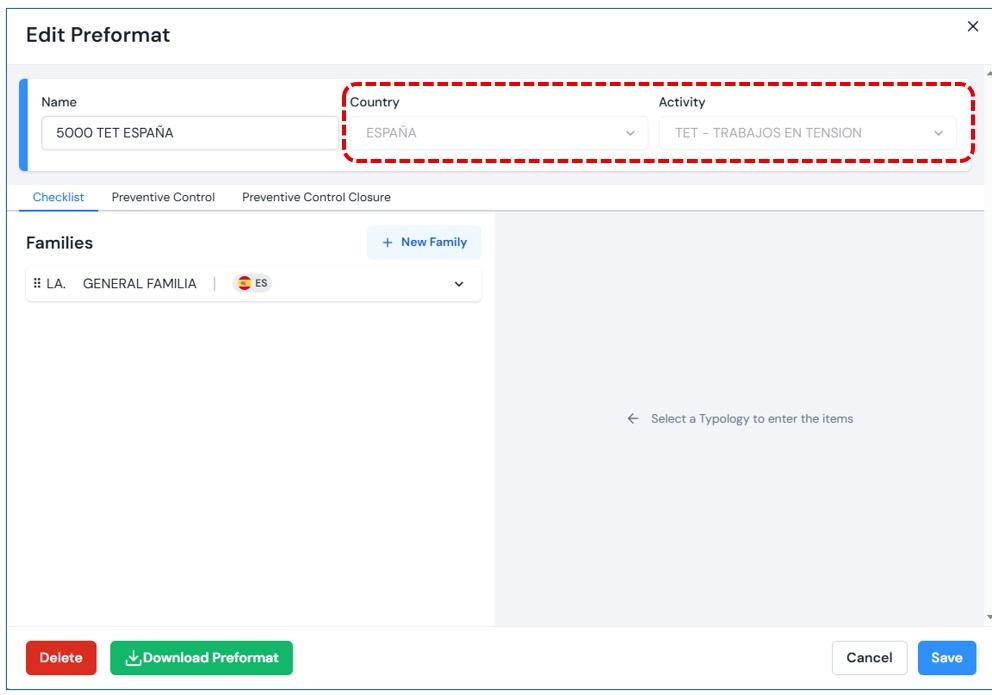
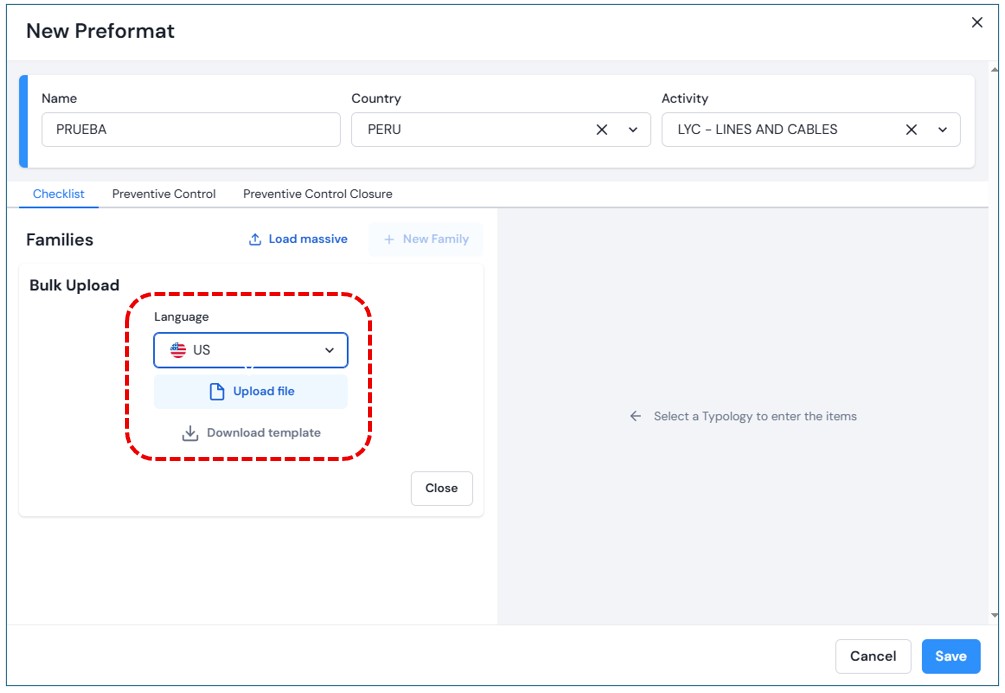
Select the “Create preformat” button and a will open where you must complete the following fields:
-
- Name
-
- Country
-
- Activity
III. Delegation Format
Upon entering this module, the home page will be displayed with the filter open to search as needed. The filter includes the following fields:
-
- Search
-
- Country
-
- Activity
-
- Delegation
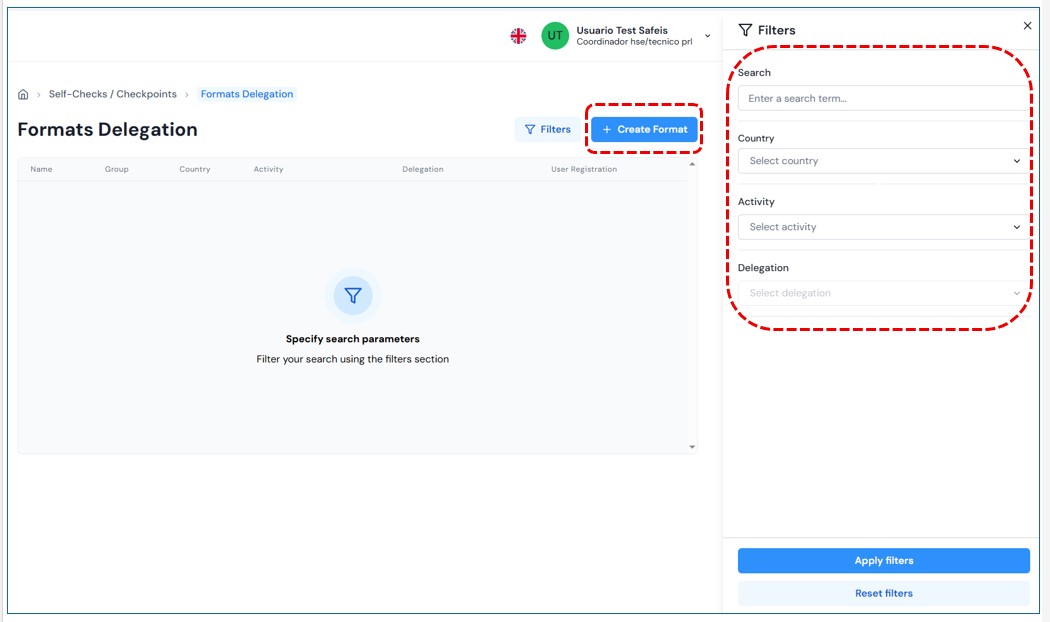
After completing the fields, select Apply Filters,The system will search for results and display them in the results panel. the results panel..
Create Format
When selecting Create Format,a pop-up window will open requesting the following fields:
-
- Preformat
-
- Group
-
- Country
-
- Activity
-
- Delegation
Once the Preformatfield is entered, the following fields will auto-complete. Then select the corresponding delegation.
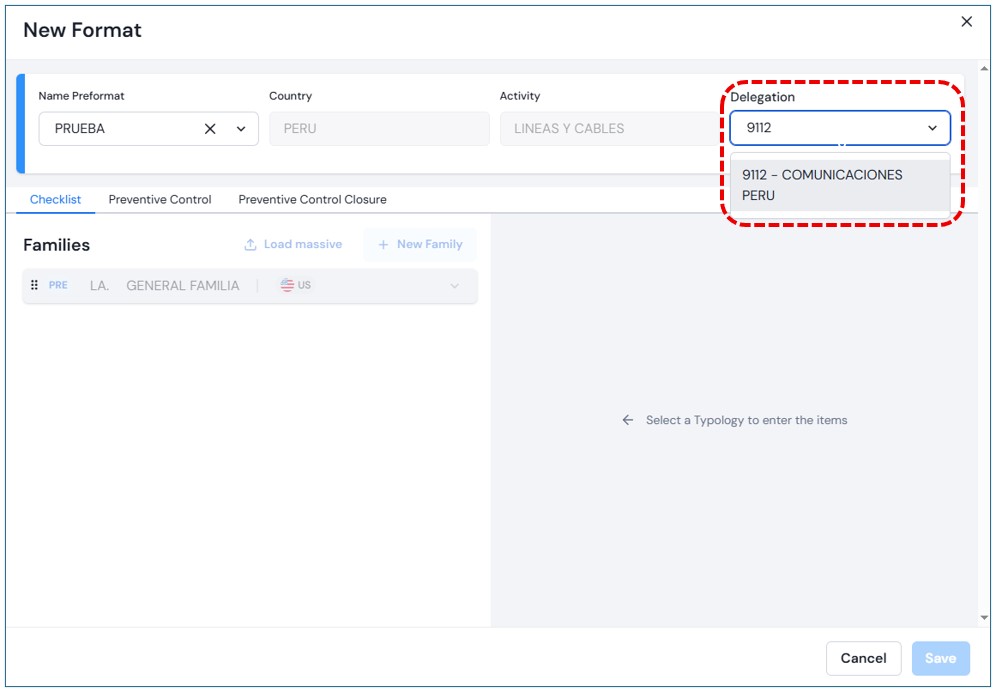
Just like in the preformat, the sections Auto-checklist, Preventive Control and , and Preventive Control Closurewill appear, showing the families associated with the selected preformat. You may also upload families in bulk or individually.
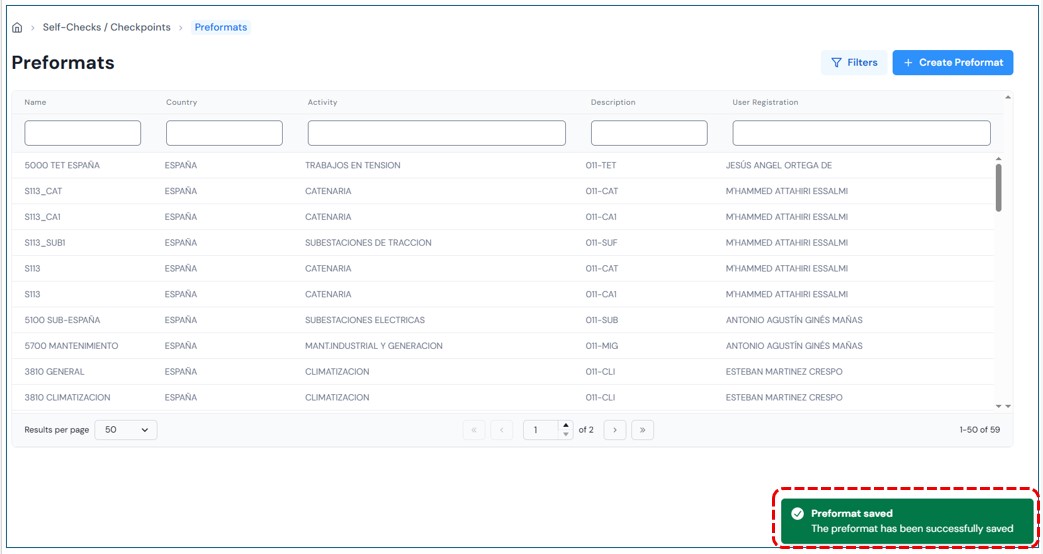
Save Preformat: Once the form is completed and Save is selected, Savethe new preformat will be displayed in the the results panel..